ProtonVPN and NordVPN Add App-Level Split Tunneling to Windows Clients
The new feature allows users to exclude specific programs from VPN encryption, preserving speed for gaming and local connectivity.
By Luana Foster ·
ProtonVPN and NordVPN have updated their Windows software to include app-level split tunneling. This feature lets users decide which programs travel through the encrypted VPN tunnel and which connect directly to the internet. The goal is to reduce the speed loss that often accompanies full-VPN usage while keeping sensitive data protected.
A standard VPN creates an encrypted bridge for all data, hiding activity from internet providers and other users on the same Wi-Fi network. While this prevents tracking and location spoofing, it can slow down connections. Split tunneling addresses this by routing selected traffic around the bridge. Users no longer need to constantly toggle the VPN on and off to access local resources or fast services.
The most common method is app-based selection. A user might keep a banking app inside the VPN for security while allowing a weather app to bypass it. This ensures the forecast reflects the user's actual location rather than the IP address provided by the VPN server. The same logic applies to online gaming, where a direct connection offers lower latency, or to smart home devices that require local network access.
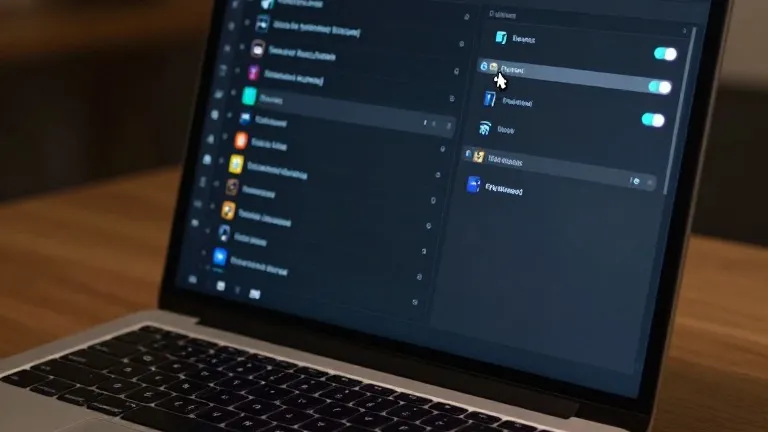
In the ProtonVPN Windows client, a split tunneling link is located on the right side of the main console, next to settings for the kill switch and port forwarding. When enabled, users can choose to include specific apps in the tunnel, excluding everything else, or exclude specific apps, including everything else. NordVPN offers a similar path. Users click the cog icon in the bottom left corner, select Split tunneling, and flip the toggle to choose which apps receive protection.
Beyond app-level controls, some services offer URL-based routing based on domain names. This allows users to keep the VPN active for a specific search page while turning it off for a local news site. Route-based and policy-based tunneling also exist but are less common in consumer software. These advanced methods rely on specific IP addresses or broader rule sets and are mostly used by people managing multiple users.
Mobile devices follow a similar setup process through app settings. Android phones and desktop platforms offer broad control. iPhones have more limited capabilities, typically allowing users to exclude specific websites and IP addresses rather than individual apps. For most people, this is a one-time configuration. Once set, the system runs in the background, keeping protection where needed and out of the way where it is not required.
Source: Wired